AI Solver Guide
AI Word Search Solver: What It Can Do and What You Still Need to Check
Upload a photo or screenshot, review the extracted grid and word list, then find every hidden word in all 8 directions.
Photo or screenshot Editable scan All 8 directions No signup
Upload your word search puzzle
Take a photo or choose a puzzle image, then continue in the Word Search Solver with the image ready to review.
Opens the free Word Search Solver. No signup required.
Quick Answer
Yes—AI can help solve a word search from an image, but the most reliable workflow uses AI or OCR to extract the puzzle and an exact solver to search the confirmed grid in all eight directions. Review the editable letters and word list before using the highlighted answer key.
From Puzzle Image to Highlighted Answers
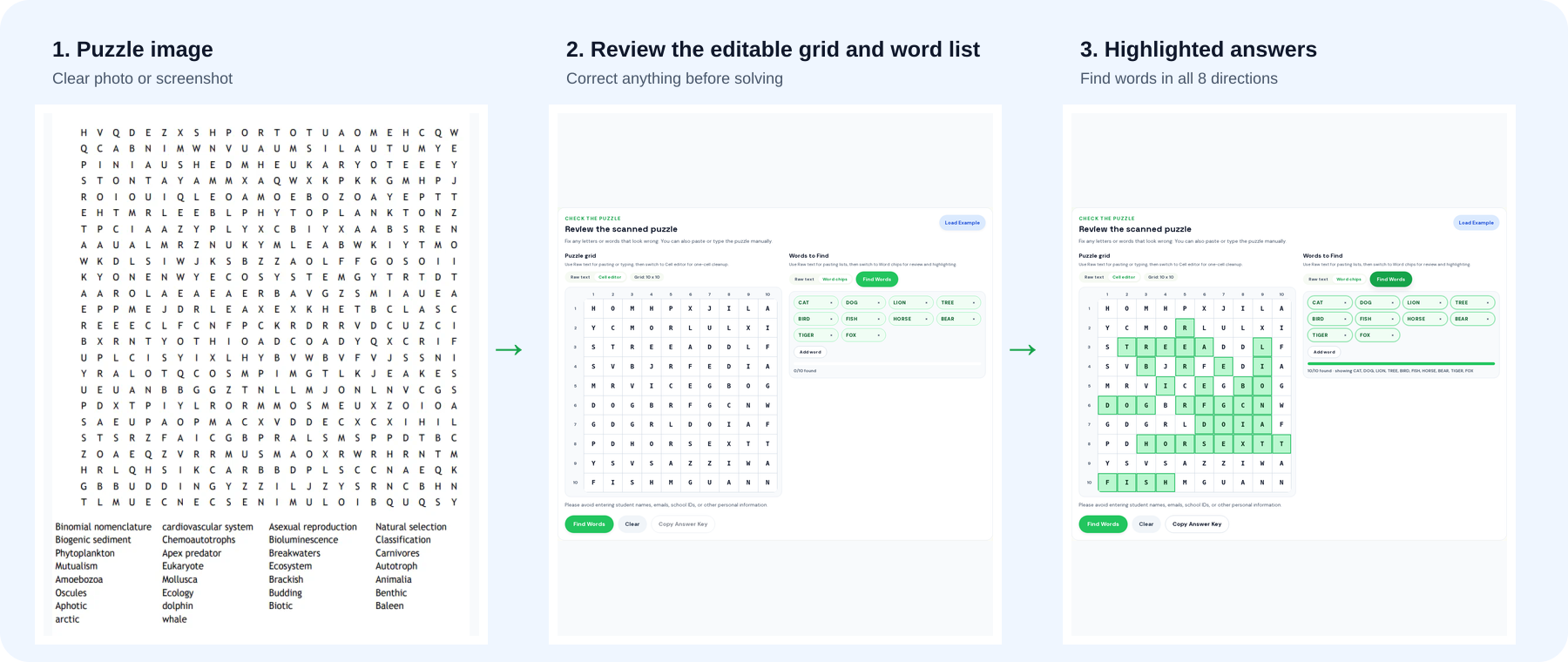
See how a puzzle image becomes an editable grid, word list, and highlighted answer key in the Word Puzzle World solver.
How the AI Word Search Solver Works
Step 1
Upload an image
Open the solver and add a photo, screenshot, or camera image of your word search puzzle.
Step 2
Review the extracted puzzle
Check the editable rows and word list. Fix a letter or target word if it does not match the puzzle.
Step 3
Find words in all 8 directions
Run the solver to check horizontal, vertical, diagonal, forward, and backward paths, then review the highlighted answers.
Why AI Can Misread a Word Search
A word search is a coordinate puzzle, so a small image-reading mistake can change a result. The solver keeps the grid and word list editable so you can confirm what it will search.
What can go wrong in an image?
Glare, tilted rows, curved paper, small print, similar-looking letters, and extra worksheet text can make a photo harder to read. A quick review lets you fix a letter, remove unrelated text, or add a missing target word before you solve.
Why review before solving?
Once the approved grid is ready, the solver checks each target from every cell in all eight directions. The highlighted path, direction, and coordinates make it easy to compare a result with the original puzzle.
AI Word Search Solver vs ChatGPT
Image reading
AI-assisted solver: Turns a photo or screenshot into an editable grid and word list.
ChatGPT: May misread rows, columns, or similar-looking letters in a puzzle image.
Grid solving
AI-assisted solver: Searches the confirmed grid in all 8 directions using exact coordinates.
ChatGPT: Can skip a path or return an answer without verifiable coordinates.
Answer review
AI-assisted solver: Highlights matched cells and shows their direction and coordinates.
ChatGPT: Usually returns a text answer that is harder to compare with the original puzzle.
AI Word Search Solver FAQ
Is there an AI word search solver that works from an image?
Yes. Upload a clear puzzle photo or screenshot, review the editable grid and word list, then use the solver to find words in all eight directions.
Can ChatGPT solve a word search?
ChatGPT can help with a typed grid, but a dedicated solver is better for checking every row, column, and diagonal after you confirm the letters and target words.
Why should I review the extracted puzzle?
Photos can include glare, tilted rows, similar-looking letters, or extra worksheet text. Correcting the editable grid and word list before solving keeps the answer key tied to the puzzle you uploaded.
Is the AI word search solver free and does it require signup?
The online solver is free to use and does not require signup for the basic image-to-answer workflow.
Can I use it for classroom worksheets?
Yes, but crop out student names, grades, emails, school IDs, and private notes before uploading a worksheet image.
Does it work for crosswords or Wordle?
No. This tool is for word search puzzles with a letter grid and a target word list. Crosswords, Wordle, and other puzzle types need different tools.
Related Guides
Ready to find the hidden words?
Open the solver to upload your puzzle image, review the editable result, and highlight every match.
Open the Word Search Solver